
Tired of Losing Your Clipboard History? Meet Kopi!
Your Mac’s New Best Friend
If you’re reading this, chances are you spend a significant portion of your day on a Mac, copying and pasting.
I know I do.
Whether you’re a developer, a writer, a designer, or just someone using a Mac, the Cmd+C and Cmd+V shortcuts are probably as ingrained in your muscle memory as breathing.
But macOS limits your clipboard to just one item. Unless you go to Spotlight and find more there.
I don’t like this approach. So I built Kopi.
That frantic back-and-forth between tabs, documents, and chat apps, re-copy something you just had, is over.
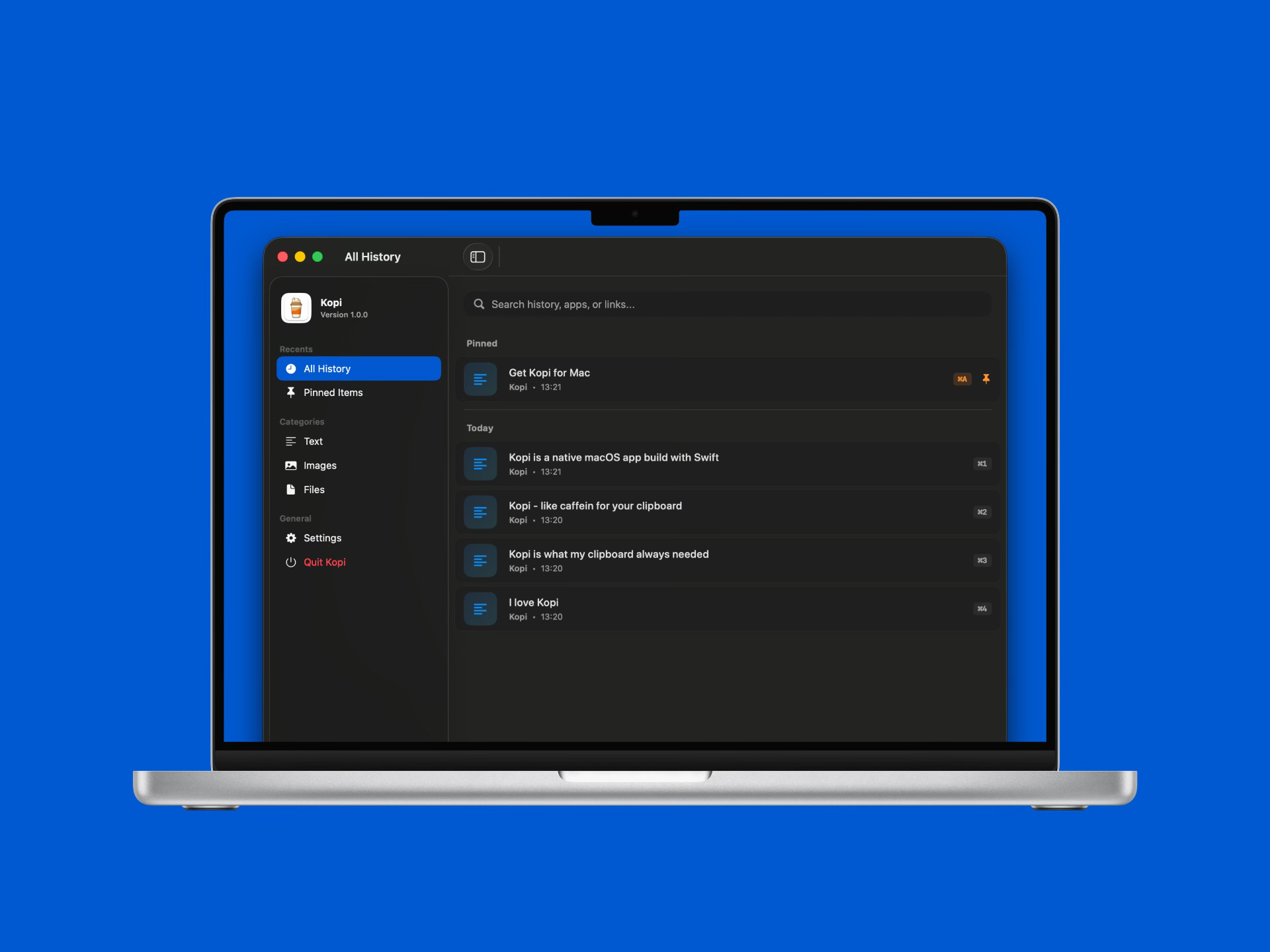
Kopi is a beautiful, native, and incredibly powerful clipboard manager designed exclusively for your Mac.
Key Features
I designed Kopi with a clear idea in mind: simple, yet powerful features, intuitive experience, and native Mac elegance.
Smart Clipboard History: This is the core. Kopi automatically saves everything you copy. Whether it’s a line of text, a URL, a screenshot, or a file, it’s all stored and easily accessible. No manual saving required.
Pinned Items for Instant Recall: Have certain snippets you use daily? Email templates, standard replies, code snippets, frequently used links, or those special characters? Pin them in Kopi. Pinned items are always at the top of your list and can even be assigned custom hotkeys for fast insertion.
Fuzzy Search: Don’t want to scroll through hundreds of clips? No problem. Kopi’s intelligent fuzzy search allows you to start typing a few characters, and it instantly filters your entire history. Finding that specific link from last Tuesday morning takes mere seconds.
Keyboard First Design: Kopi is for those who prefer their fingers on the keyboard. Access the app, navigate your history, search, and paste—all without ever reaching for your mouse or trackpad.
Clean & Native macOS Experience: Kopi is crafted with SwiftUI, Apple’s modern UI framework. This means it looks and feels like a true macOS app. It’s fast, responsive, and adheres to the beautiful aesthetic.
I built Kopi because I wanted to use it!
Technical & Privacy
Platform: Exclusively for macOS 13+ (Ventura and newer).
Framework: Built fully with SwiftUI. This ensures optimal performance and a truly native feel.
Privacy: This is crucial. Your data is 100% local. Kopi never sends your clipboard data to the cloud, nor does it track your usage. What you copy stays on your Mac. This commitment to local storage ensures your sensitive information remains private and secure.
No Subscriptions
Just yours.
We are all suffering from subscription fatigue. It feels like every small utility app now wants $5 a month just to keep the lights on.
And I get it. For some tools, it’s needed. Hosting and keeping it running does cost money.
But not all tools are like that.
I didn’t want Kopi to be yet another subscription.
Kopi is a very affordable one-time purchase, if I may say so.
Pay for it once, and own it forever. No recurring fees, no “Pro” tiers hidden behind a monthly paywall, and no reminders that our subscription is about to renew.
Stop Losing, Start Doing.
Think about how many times a day you copy something.
Now, imagine how much smoother your workflow would be if you never had to worry about losing one of those clips.
Kopi is here for you.


