
We Installed Zorin OS on My Dad’s Mac
and It Just Worked
My Medium friends can read this story over there as well.
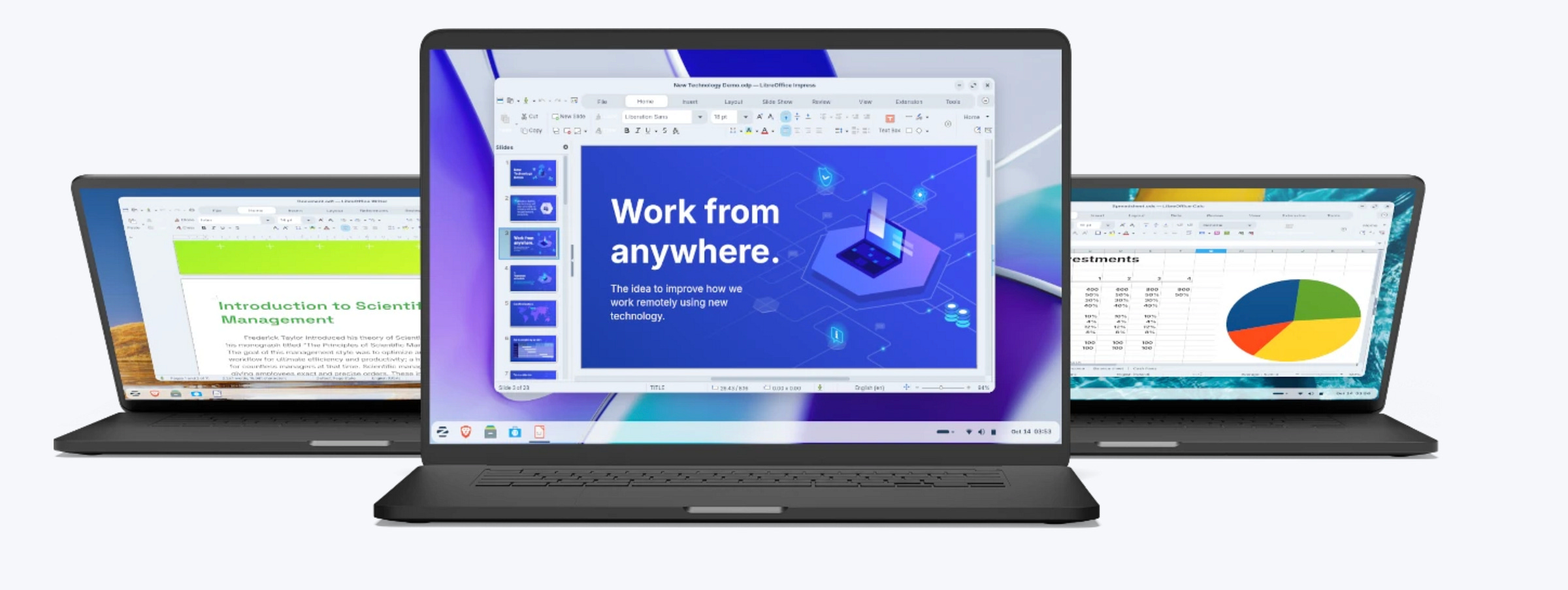
Recently, I wrote “Moving From macOS to Linux”.
How I installed Linux on an old MacBook. But it was Elementary OS. I had used that in the past. I wasn’t too sure about it this time, so I switched gears.
Now, we just installed Zorin OS on my dad’s MacBook Pro from 2012.
And it worked. Like a charm.
2012 MacBook Pro. Thirteen years old in laptop years… is roughly 400 in dog years. This machine has seen things. DVDs. USB-A dominance. iTunes. Yet here we are, still booting.
And the whole thing was… easy. Almost suspiciously easy.
This is one of those posts where I expected a lot of waiting, googling, weird terminal incantations, and at least one moment of “why did I start this”.
None of that happened. Coffee barely got cold.
The setup
The hardware is a MacBook Pro 13-inch, mid-2012. Intel. Still all its original parts.
macOS support officially stopped a while back, unless we want to play patcher roulette.
Dad wanted something that works, looks decent, and doesn’t need Apple IDs, iCloud, or Safari. But feels kind of mac-y.
So we went with Zorin OS.
If you don’t know Zorin, it’s basically Linux for “normal” people.
Ubuntu-based, polished, and very much designed for folks coming from Windows or macOS.
Installation uneventful
Download ISO. Flash USB with balenEetcher. Boot holding Option, because Mac things. Installer starts.
From that point on, it’s basically next, next, language settings, install. No drama.
From USB stick to login screen took maybe 10 to 15minutes. Most of that was waiting, not thinking.
For a 2012 MacBook, that pretty good.
The only real hiccup, WiFi, of course
The one thing that didn’t work out of the box. WiFi. Always with Macs and Linux.
If you’ve installed Linux on older Macs before, you know. Broadcom drivers.
The important part, fixing it was trivial.
Zorin boots, we open the software updater, check advanced, click install on proprietary drivers (which Zorin already detected), wait a minute, reboot.
Done.
WiFi works. No terminal. No Googling.
That’s the difference between “Linux is hard” and “Linux used to be hard”.
Everything else worked immediately. Trackpad. Keyboard backlight. Sound. Webcam. External display. Sleep. Wake. All good.
The OS itself, actually nice to look at
Zorin OS really earns points.
It’s beautifully simple. Calm, considered, everything-is-where-you-expect-it way. Like old school Windows or simple macOS.
Zorin comes with four distinct layout options for the home screen and overall UI:
A Windows-style layout. Start menu, taskbar, bottom left, very familiar.
A macOS-style layout. Dock, top bar, app launcher vibes.
A touch-optimized layout. Big icons, spacing, tablet-friendly.
Another Windows-style (Linux-distro style) layout, slightly different flavor
Switching between them is one click. No reinstall. No downloads. No “well technically you can if you edit this config file”.
For my dad, we picked the macOS-style layout. Dock at the bottom, apps are obvious, muscle memory mostly intact. Zero learning curve.
Performance
That 2012 MacBook Pro feels quite fast now than it did in its final years on macOS.
Boot time is reasonably quick for a HDD drive.
Apps open fast enough. Fans stay mostly quiet. The system isn’t constantly indexing, syncing… or I don’t know… phoning home.
Zorin feels light.
We’re not pretending this is a modern M-series Mac. But for browsing, email, documents, YouTube, photos, it’s more than enough.
Daily usability
What impressed me most wasn’t the install or the speed. It was how little explaining I had to do for now.
Dad clicked around. Found the browser. Opened settings. Changed wallpaper. Installed a printer. Asked zero “what is this” questions.
That’s rare.
Software store is clear. Updates are simple. System messages are written like a human wrote them, not a programmer...
And my dad doesn’t need much additional software. That’s the key and a deal breaker for some.
The bigger point here
Instead of throwing away a perfectly fine laptop because Apple moved on, we install an OS that works.
No subscriptions. No artificial limits.
And it didn’t take long. This wasn’t a weekend project. It was an afternoon task with time left over for my kids.
Would I recommend it?
Absolutely. Especially for older Macs. Especially for parents. Especially for anyone who just wants their computer to work.
Zorin OS is nice. Friendly. Powerful enough without being intimidating. Customizable in an easy way.
User-friendly Linux.
The Bottom Line
Installing Zorin OS on a 2012 MacBook Pro was fast, painless, and boring in the best possible way.
WiFi needed a quick fix through Zorin’s own software updater, everything else worked out of the box.
The OS looks great, offers multiple familiar layout options, and runs beautifully on old hardware. This is how we keep machines alive and people happy.


