What I Love About WriteStack
And why you should try it
I used WriteStack* on and off for the past few months. Got a lot of tools and little time…
But that’s actually the point of WriteStack. Better time management for Substack.
And it does that pretty well.
Quick Refresher
What is WriteStack?
It’s a few things. But let’s make it simple:
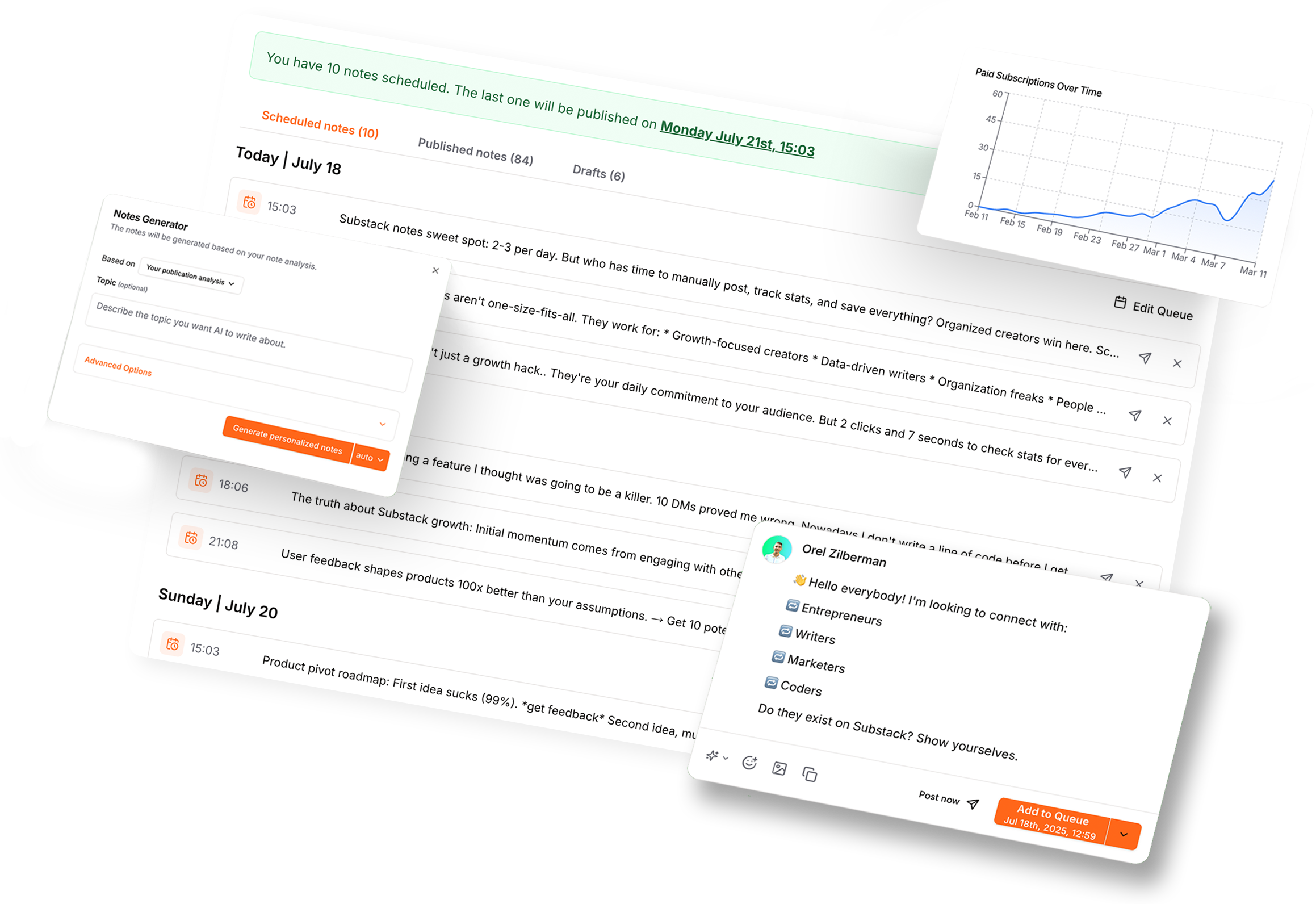
WriteStack is an analytics and content management platform built specifically for Substack creators who want detailed performance metrics and AI-powered content tools.
After testing the platform, I’ve noticed several features that address gaps in Substack’s native analytics and provide substantial value for data-driven content strategy.
And I realized that the Notes scheduling feature isn’t my most used one, by far.
Core Features Overview
Notes Performance
I love this feature.
The Notes Performance section provides granular insight into your Substack notes. This is huge, because Substack lacks much of this info natively.
The interface includes multiple sorting and filtering options that enable systematic content analysis.
Available Filters:
Free Subscriptions: Isolate notes that drive free subscriber growth
Paid Subscriptions: Identify content that converts to paid subscriptions
Clicks: Track notes generating the most traffic
Likes: Sort by audience appreciation metrics
Comments: Find content that generates discussion
Restacks: Measure content amplification across the platform
Date Range: Filter by Daily, Weekly, Monthly, or Yearly timeframes, with an “All time” option for comprehensive historical analysis
Sort Order: Toggle between ascending and descending results
Display Options:
The interface offers both grid and list view layouts. Each note card displays key metrics including view counts, engagement numbers, and timestamps. The filtering system updates in real-time, allowing you to quickly identify patterns in what content performs well across different metrics.
For Substackers managing hundreds of notes, these filtering capabilities are essential.
You can answer specific questions like:
Which notes drove the most paid conversions last quarter?
What content generated the highest engagement in the past month?
The system handles large datasets pretty efficiently and presents results in a clean, scannable format.
Overall Statistics
My second favorite view on WriteStack*.
The Notes Statistics overall section aggregates your overall Substack performance into several key metric categories.
Top-Level Metrics:
Total Notes Posted: Tracks publishing volume (currently showing 832 total notes)
Free Subscriptions: Displays subscriber growth attributed to notes (85 free subs from notes)
Paid Subscriptions: Monitors revenue-driving content performance (0 paid subs from notes in this case)
Detailed Analytics Charts:
The dashboard includes multiple time-series visualizations:
Free Subscriptions Graph: Shows subscription growth trends across your selected timeframe
Paid Subscriptions Graph: Tracks paid conversion patterns over time
Note Clicks: Visualizes traffic patterns to identify trends and anomalies
Notes Statistics Breakdown: Displays cumulative engagement metrics including Likes (3,469), Restacks (832), and Comments (937) with individual trend lines
Follower Activity Analysis:
The hourly activity breakdown chart shows when your audience is most active throughout a 24-hour period.
This data uses different colored lines for Likes, Restacks, Comments, and Total Activity, allowing you to identify optimal posting times based on historical engagement patterns.
The timezone is displayed (Europe/Berlin in this case) to ensure accurate scheduling decisions.
Time Range Selection:
All charts can be filtered by Daily, Weekly, Monthly, or Yearly views, with a persistent “All time” option.
This flexibility allows you to zoom in on recent performance or analyze long-term trends.
The Inspirations Section
Might become your favorite section, quickly.
The Inspirations feature presents a curated feed of high-performing Substack posts selected by WriteStack’s algorithm.
Each inspiration card displays:
Author name and avatar
Publication date
Content preview (first few lines of the post)
Engagement metrics (likes, comments, restacks)
Direct link to view the full post on Substack
Sorting and Filtering:
The interface includes a “Sort by” dropdown and view toggle options in the top right. This allows you to organize inspirations based on your content research priorities.
The system analyzes successful content across Substack and surfaces posts relevant to your niche or writing style.
Instead of manually browsing Substack for content ideas, WriteStack aggregates proven topics and formats that have already demonstrated audience engagement.
Kanban View
Such a simple thing, but totally useful!
The Kanban view organizes your notes into three status columns:
Draft: Notes currently in progress
Scheduled: Content queued for future publication
Published: Live content on your Substack
Each note card shows:
Author avatar and name
Note preview text
Any relevant metadata or tags
This view provides a clear visual representation of your content pipeline.
It’s for people who like visual organization. Like me.
You can quickly assess how many drafts are in progress, what content is scheduled, and review your published archive. The column-based layout makes content status immediately apparent without requiring clicks into individual notes.
AI Notes Generator
Ah, the “bad” word. AI.
I don’t use Ai much on WriteStack. But it’s handy for a couple of things.
The AI Notes Generator is accessible via a dedicated button in the notes interface. The generator produces Substack notes based on analysis of your publication’s existing content and style.
The generated Notes are generally pretty good, in my experience.
Configuration Options:
Base Settings:
Based on: Dropdown menu defaulting to “Your publication analysis” - the AI analyzes your existing notes to match your writing style and topic patterns
Additional Prompt: Optional text field for custom instructions or context to guide the AI’s output
Permanent Prompt Option: Link to set persistent instructions that apply to all future generations
Advanced Options:
Custom Note Length: Control the length of generated content
Number of Notes to Generate: Specify how many note variations to create in a single generation
Language Selection: Notes generated in English by default
The generator button displays “Generate personalized notes” indicating it will create multiple variations per request.
There’s also an “auto” dropdown suggesting automated scheduling or publishing options.
WriteStack AI Assistant
Beyond the specialized Notes Generator, WriteStack* includes a full AI assistant interface.
Sort of like ChatGPT for Substack.
I haven’t used this a bunch. I usually write my own stuff. But it’s here to help along the way.
The assistant provides three primary functions:
Generate Post Ideas: “Get fresh topics for your next article”
Generate Notes: “Write notes based on your previous notes”
Analyze Performance: “Understand what content resonates”
Technical Implementation
WriteStack connects to your Substack account through simple authentication, syncing your notes, subscriber data, and engagement metrics.
The platform updates regularly.
The interface is web-based and includes a persistent left sidebar for navigation between sections: My notes, WriteStack AI, Notes Statistics (with expandable sub-options for Notes Performance and Overall), Inspirations, and Settings.
It has a Chrome extension for the scheduling functionality.
Use Cases for Substackers
I think you may enjoy Writestack a lot, if you use it for the features I listed above. Not the AI, mainly, but more the statistics and insights. Because they’re powerful.
So, utilize the power:
Performance Optimization: Use the filtering system to identify which Notes types drive specific outcomes (free subs vs. paid conversions vs. engagement).
Content Strategy: Analyze the Inspirations feed to identify trending topics and successful formats in your niche.
Workflow Management: Use the Kanban view to maintain a consistent publishing schedule and track content through production stages.
Audience Insights: Study the activity patterns to optimize posting schedules for maximum reach.
(Optional) AI-Assisted Creation: Generate note variations based on your existing content style when you need to maintain publishing frequency but lack time for original composition.
Limitations and Considerations
WriteStack is specifically designed for Substack Notes analytics.
It not really for long-form articles or newsletter posts. The platform focuses on the Notes feature of Substack. Which is not a bad thing at all. Too many tools try to be too many things at once.
Also, the AI features require sufficient existing content to analyze your style effectively. New publications with minimal content history may see less personalized results from the Notes Generator.
The Bottom Line
To me, WriteStack*providing detailed notes performance tracking, advanced filtering capabilities, and some AI-powered content tools.
The platform is particularly valuable for writers who publish frequently on Substack Notes and want data-driven insights to optimize their content strategy.
The combination of performance analytics, workflow management, and AI assistance makes it one of the coolest Substack’s add-ons I’ve seen so far.