

Zorin OS Is the Linux Distribution for the Rest of Us
It’s been around since 2008. Cities run on it. Takes about 20 minutes to install.

Most people don’t think about switching to Linux until something forces them to. Unfortunately. And I am including me here.
A Windows laptop that’s become a fan-powered space heater. A Mac that Apple decided was “vintage.” A subscription renewal that is too expensive to justify.
And then they look into Linux and immediately encounter terms like “package manager,” “kernel,” “mounting partitions”… and close the tab. Forever.
Zorin OS is the distro built specifically for that moment.
It’s been around longer than you think
Zorin OS was first released in 2008.
That’s the same year the App Store launched. Before Spotify existed in the US. Before Instagram.
It was started by two brothers, Artyom and Kyrill Zorin, who were teenagers at the time, working out of Ireland. They built it because they wanted to make Linux accessible to people who had never used it before. That mission hasn’t changed.
It’s a European project. Built in Ireland, used across European public institutions, no Silicon Valley backing, no VC strings attached.
For those of us watching the EU’s slow and overdue push toward digital sovereignty, that’s a relevant detail.
The software you’re running on your municipal computers shouldn’t be subject to US export policy or cloud legislation you have no say in. (I’ve written about where that push stands in Europe right now.)
Eighteen years later, it’s still being actively developed. It’s on version 18. And it’s built on Ubuntu LTS, which means it inherits one of the most stable and well-documented foundations in the Linux world.
That matters. The Linux graveyard is full of distros that looked promising, had a moment, and then went quiet. Zorin OS never went quiet.
Designed around one specific problem
Zorin OS is designed for Windows and Mac users who want out.
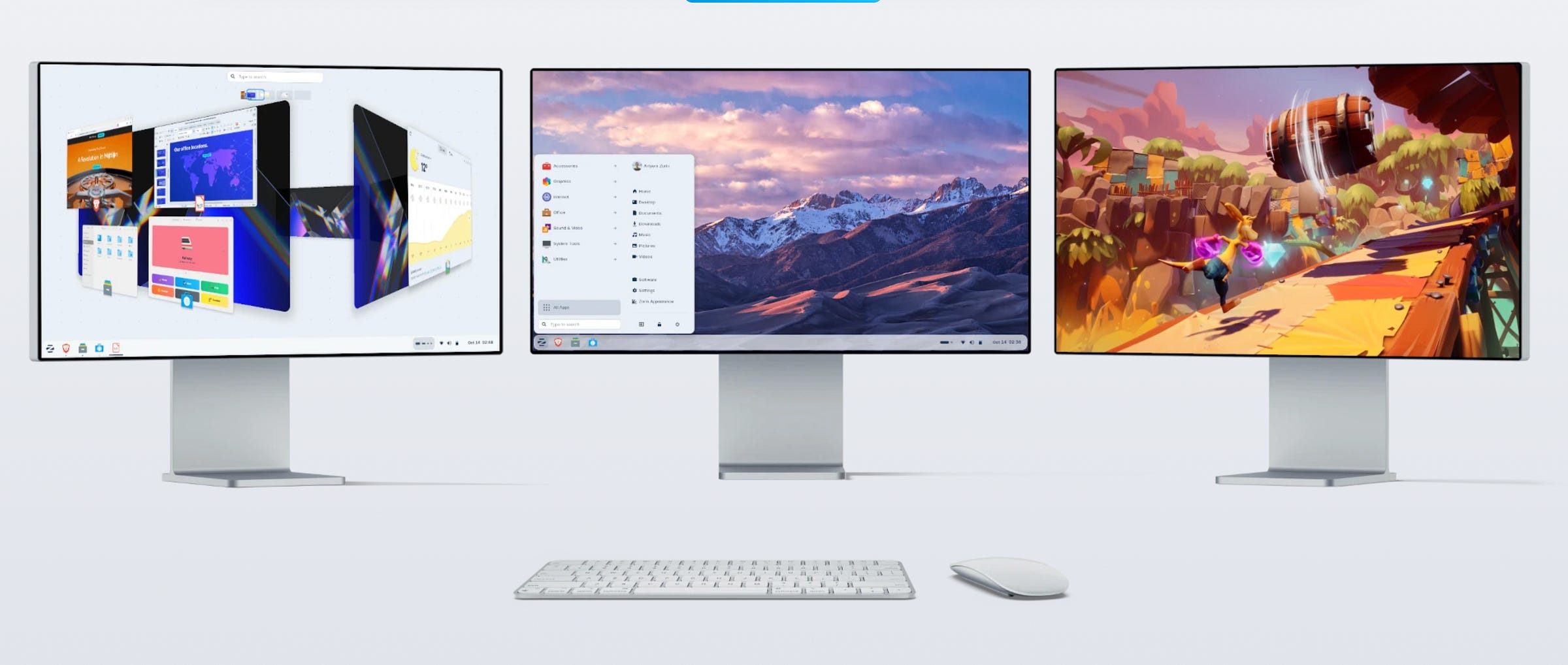
The first time you boot it up, you’re asked a simple question: which layout do you prefer?
You can choose one that looks like Windows 11.
One that looks like Windows 7, for those who liked the old Start menu.
One that looks like macOS, with a dock at the bottom and a menu bar at the top.
It’s a deliberate design decision. Your muscle memory already knows where to look. Zorin OS works with it.
The app store is clean. Installing software doesn’t require a terminal. Unless you want to. Updates happen the same way they do on Windows or macOS. You click a button. It updates.
PC World called it “a standout choice for ex-Windows users.” ZDNET said the team “took a great Linux desktop OS and made it even better.” XDA Developers specifically praised Zorin Appearance, the layout switcher, as “excellent for people coming over from Windows.”
These are not Linux-enthusiast publications saying this. These are mainstream tech outlets writing for mainstream users.
I actually installed it on my dad’s old MacBook to see how it holds up for a non-technical user. The experience was smoother than I expected.
2 million downloads. 78% from Windows.
Zorin OS 18 hit 1 million downloads in just over a month. By January 2026, it had crossed 2 million.
78% of those downloads came from Windows users.
Not Linux-curious tinkerers. Not people who already had three distros dual-booted. Windows users. People who had never run Linux before and picked Zorin OS as the thing to try.
That’s the design working. And given how Windows has been treating its users lately, the timing makes sense.
Cities and schools run on it
Zorin OS is pretty well-rounded.
The city of Vicenza in Italy moved its municipal computers to Zorin OS. Schools use it. Public organizations across Europe that have been looking to cut Windows licensing costs and reduce dependency on US-based software vendors.
Consumer distros come and go. But when a city government bets its infrastructure on a piece of software, it’s pretty good. Stability. Long-term support. Driver compatibility. Security updates.
Germany and Denmark have been making similar moves at the national level, ditching Microsoft across entire government departments. Zorin OS would fit neatly into that story (though I don’t know what tey will eventually use).
The team behind Zorin also offers Zorin Grid, a fleet management tool for IT departments that want to deploy and manage Zorin OS across dozens or hundreds of machines.
A great product for organizations and institutions.
Three versions, one of which costs money
Zorin OS comes in three flavors.
Core is free. It includes a solid software library, the layout switcher, and everything most people will ever need. This is the right starting point. And most won’t need more.
Pro is $47.99. Once. It adds more layouts, more pre-installed creative and productivity apps, and priority support. Most people don’t need it. But if you want to support the project and get a few extras, it’s a one-time payment for a lifetime license.
Lite is free and built for older hardware. If you’re trying to revive a laptop from 2012 or a low-spec machine that Windows 11 won’t touch, Lite is the version to try. It runs on XFCE, which is lightweight and fast even on modest hardware. I went into more detail on putting Linux on old Macs, and on the broader question of whether to buy a new Mac or stick with an older one running Linux.
Just a note: Lite is going to end 2029. Because Zorin already is pretty optimized. Most never need Lite.
Also, version 18 supports in-place upgrades from version 17. Your files, apps, and settings stay intact. That’s not a given with all Linux distributions.
The downsides
It’s not perfect. Nothing is.
Release cycles are slow(er). Because Zorin OS tracks Ubuntu’s LTS (Long Term Support) releases, major versions come out every couple of years. You might wait 18 months for a feature that other distros already have.
If you want to run the absolute bleeding edge of the Linux kernel, Zorin OS is not that. That is not just a downside, though. It also means updates usually don’t break anything.
However, hardware compatibility can still bite you. Wi-Fi chipsets from certain vendors (Broadcom in particular) sometimes need proprietary drivers that don’t install automatically. My dad’s old MacBook had that issue.
Most modern laptops are fine. But if you’re working with really old or obscure hardware, check the Zorin OS forums before committing to an install.
Gaming support has improved dramatically on Linux overall, thanks to Valve’s Proton layer. But if your primary use case is a library of Windows games, you’ll have a smoother time on a distro with a more active gaming community.
And yes, some software simply doesn’t exist on Linux. Yet.
Adobe Creative Suite. Microsoft Office (the real thing, not the web version). Final Cut Pro, obviously.
If those are load-bearing tools in your workflow, Zorin OS won’t fix that problem. Nothing will, unless you’re open to alternatives. Which there are plenty.
The Bottom Line
Zorin OS is not the most powerful Linux distribution. Or the prettiest. Or the best.
But it’s the most likely to still be running on your machine six months after you install it, without you having given up or broken something.
For most people coming from Windows or macOS, it is the ideal replacement.
Eighteen years of development. Real-world deployments in public institutions. A free Core version that does everything. A layout that looks familiar from the first boot.
If you’ve been curious about Linux but every other attempt ended with a blank screen or a cryptic error message, this is where I’d start. Again.